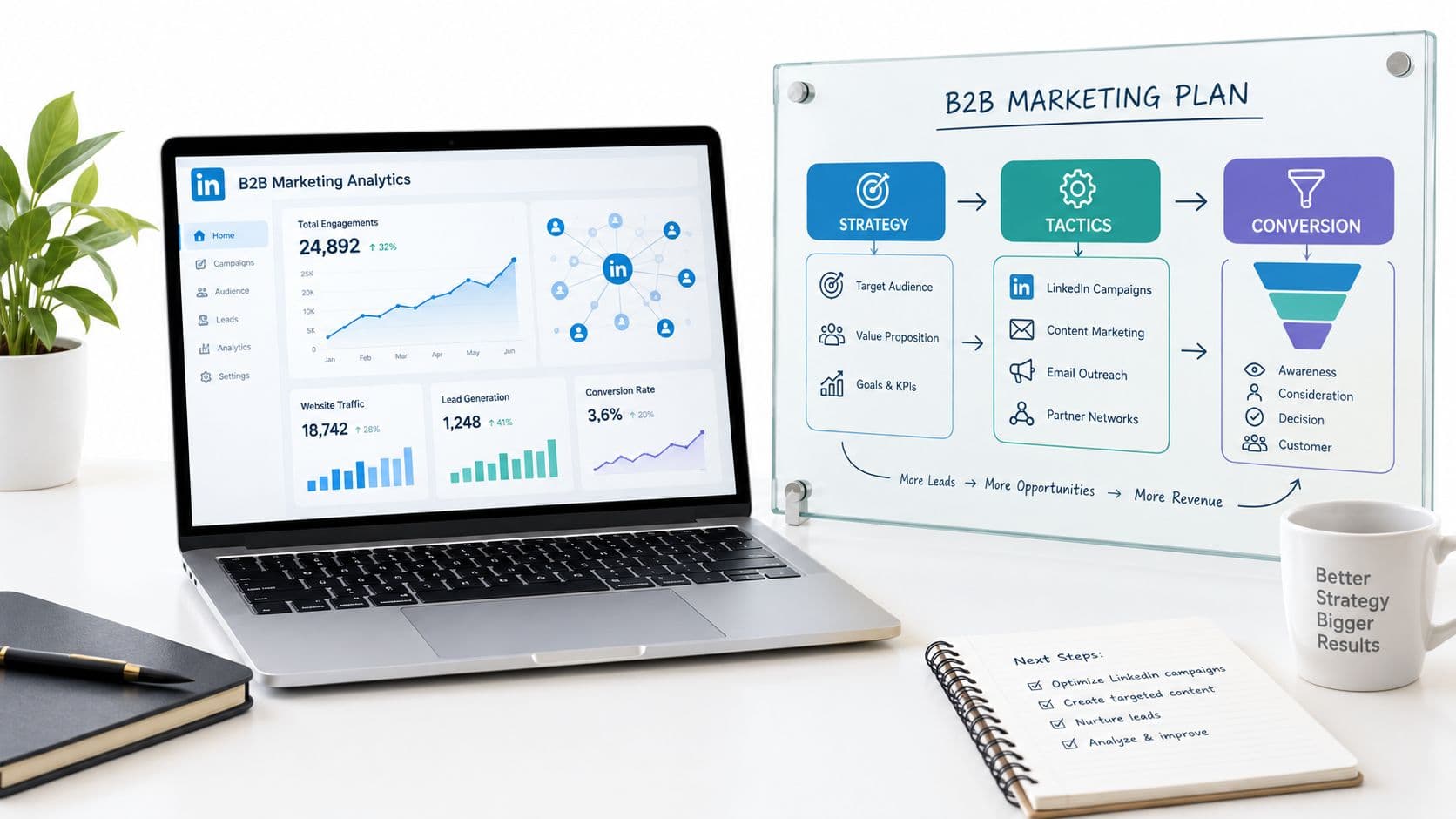

A strong strategy marketing LinkedIn program doesn't start with a posting calendar. It starts with target accounts, gives senior people clear roles, and connects their content and conversations to pipeline. LinkedIn's advertising tools indicated that marketers could reach approximately 1.20 billion registered members worldwide in January 2025, up 176 million, or 17.1%, year over year. That's potential advertising reach, not a count of active users: DataReportal cited an estimate of roughly 350 million monthly active users globally in its LinkedIn audience analysis.
For Spanish consulting firms, technology businesses, HR firms and B2B software companies, that distinction matters. The platform's value isn't the headline audience size; it's the professional context around people's roles, companies and seniority. The plan below treats LinkedIn as a measurable go-to-market channel, with named senior profiles and account progression at its center.
Table of Contents
- The Six-Phase LinkedIn Strategy at a Glance
- How to Map the Buying Committee and Pick Profiles
- Setting Content Cadence for Executive and Partner Profiles
- Reading Intent Signals Without Overreacting
- How to Turn Engagement Into Qualified Conversations
- Measuring Pipeline Instead of Impressions
- Confirm Your 90-Day Pilot Before You Start
The Six-Phase LinkedIn Strategy at a Glance
Run LinkedIn as six connected phases, each with a named owner and a tangible output. It's a go-to-market system, not a request for executives to “post more.” That distinction is important in a crowded channel: in the Content Marketing Institute's 2024 B2B research, 72% of respondents said they had increased their use of LinkedIn during the previous year, and 85% of B2B marketers considered it the social platform delivering the best value for their organization, according to its B2B content marketing research. More activity alone won't distinguish a firm. Useful expertise, credible voices and a clear route from attention to a commercial conversation will.
| Phase | Goal | Owner | Output |
|---|---|---|---|
| Define | Map the buying committee and target accounts | Marketing director | Accounts mapped with roles named |
| Activate | Put senior profiles behind role-specific insight | Partners and directors | Named profiles with authority areas |
| Engage | Publish content and track interactions by account | Content team | Weekly interaction log by account |
| Signal | Flag accounts where several stakeholders engage | Demand generation lead | Account-level signal list |
| Convert | Contact engaged people with a message that references their interest | Sales and partners | Qualified conversations booked |
| Measure | Track pipeline contribution by account | Marketing director with CRM owner | Monthly pipeline report |
Use a shared account sheet as the operating record. It should connect the account, its buying roles, the profile publishing relevant expertise, the interactions worth tracking and the next commercial action. For teams building a repeatable publishing process, this guide to manage LinkedIn content workflows can help organize contributors and approvals without making every post sound centrally scripted.
A team of three to five people can divide the work without creating a new department: the marketing director leads Define and Measure, senior profiles carry Activate, and the content and demand generation owners coordinate the middle phases with sales. Start by choosing the first 20 target accounts that fit your ideal customer profile.
How to Map the Buying Committee and Pick Profiles
An account with one named contact is not a mapped account. Real penetration starts when you can list who influences budget, who owns implementation risk, and who will block a vendor they do not trust. That list decides which senior profiles should publish and who should send the first message from their own LinkedIn profile.
Choose the accounts. Build a list of 20 to 30 target companies that match your ideal customer profile, especially firms where a high-value purchase involves evaluation and internal discussion. Start with accounts your sales team can serve, rather than a broad industry list.
Name the stakeholder groups. For each account, map three to five groups, such as marketing, sales, IT, finance or HR. LinkedIn's lead-generation guidance reports 3.1–4.6 internal groups influencing a B2B purchase. Map the buying process, and do not assume the first person who responds can approve the purchase.
Choose relevant profiles inside your firm. Match each group concern to a partner, director or senior manager with genuine authority in that subject. A technical decision maker should hear from someone who can discuss implementation, not only from the CEO or a company page.
Check profile credibility. Review whether each person sector experience, public work and job title will make sense to a buyer. A senior title helps, but the profile still needs to show relevant expertise. Otherwise outreach feels like a handoff to a stranger.
Assign authority territories. Give each profile a distinct area to own, such as market direction, delivery risk or technical implementation. This keeps multiple contributors from publishing interchangeable opinions and helps sales choose a sender who can speak naturally about the prospect interest.
Record the operational question. Make a simple account sheet with the company, mapped roles, profile owner and question each role needs answered. Finance may need a case for budget approval, while IT may focus on integration and delivery risk. A useful audience-targeting approach for LinkedIn starts with those real buyer distinctions rather than a generic job-title list.
Buyers usually consume several pieces of content before choosing a provider, and thought leadership often shapes which vendors make the shortlist. That influence needs a next step, such as a diagnostic call or a relevant case discussion, rather than a stream of disconnected posts. Plan the sequence so each piece answers a specific objection for a specific role.
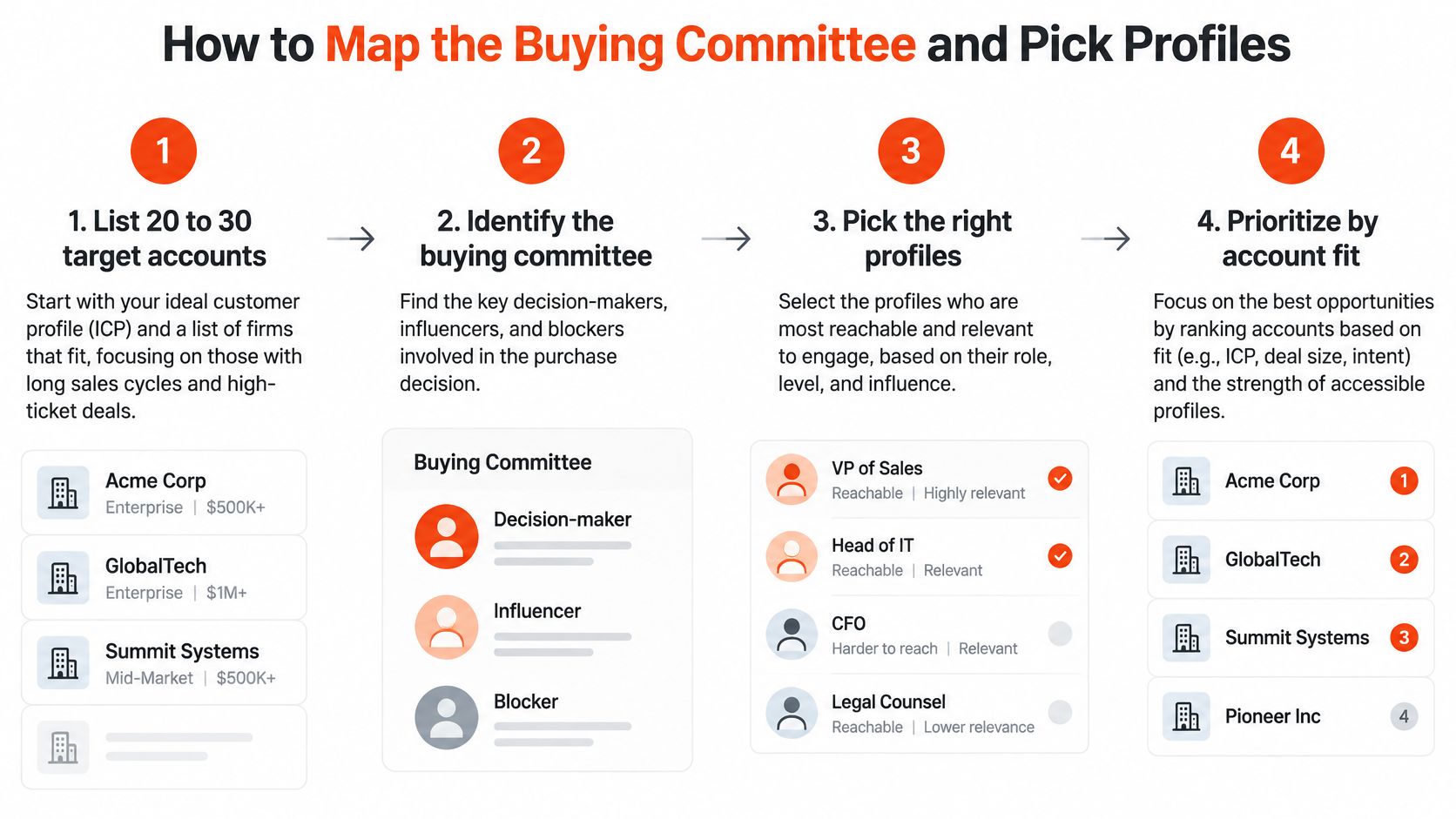
The final check: every target account should have at least two mapped roles before any outreach begins. One person interest can start a useful conversation, but it does not establish that the buying group is engaged.
Setting Content Cadence for Executive and Partner Profiles
A pipeline built on one visible executive breaks when that person gets busy. Spread authority across four or five named profiles so buyers hear market direction, delivery trade-offs and implementation detail from people who own each area. Ploot publishes posts from client partners and executives each week, which makes that spread part of the operating rhythm rather than a one-off campaign.
| Role | Authority Territory | Posts per Week | Format | Example Topic |
|---|---|---|---|---|
| CEO | Market change and direction | 1 | Written post or short video | Where demand for outsourced delivery is heading |
| Partner | Delivery risk and client results | 1–2 | Case discussion or carousel | What slipped in a recent implementation |
| Subject-matter expert | Implementation detail | 1–2 | Short how-to post or document | A checklist for migrating a legacy HR system |
| Company page | Sector research and benchmarks | 2–3 | Data post or newsletter | Quarterly survey on hiring budgets |
Treat these frequencies as a starting cadence, not a quota. Quality decides whether account penetration moves. The CEO interprets what is changing and why it matters for budgets. Partners discuss delivery choices that affect outcomes. Experts show how the work gets done in enough detail that a buyer can evaluate risk.
Video earns a test slot alongside written posts. LinkedIn reports that 81% of surveyed B2B CMOs believe video accelerates sales cycles and 79% say it accelerates lead conversion, according to its B2B marketing research on video and creator influence. Those are beliefs among surveyed CMOs, not a promise for a specific account. Use short video only when the speaker explains clearly on camera, then compare response at the account level against written posts. For teams adapting video work into LinkedIn material, this resource on TubeBuddy alternatives from Taja AI offers a useful point of comparison for content workflows. A practical guide to writing a good LinkedIn post helps contributors turn that expertise into a focused post with one buyer question answered.
Keep authority distinct and coordination light
Assign one buyer concern to one voice. Scripts that make everyone sound alike destroy the reason to run multiple profiles.
A workable weekly loop looks like this. Monday sets account priorities, assigns topics and names who replies to meaningful interactions. A partner publishes a case discussion about a delivery problem early in the week. The implementation lead follows with a checklist that addresses the technical issue behind it. Same buyer concern, two angles, no overlap. Thursday reviews what went live, which target accounts engaged and whether sales should follow up with context from the team's own profiles. Draft territories for your top five profiles now, then remove any topic claimed by two people.
Reading Intent Signals Without Overreacting
A profile view isn't a buying signal. It's easy to count, but the viewer could be a peer, a job seeker or a competitor. Treating every view as a reason to message someone creates noise and can make a useful content program feel like prospecting automation.
Use a simple ranking to decide what deserves attention. The labels describe a team's response priority, not a guarantee that someone is in-market.
| Signal | Strength | Why It Matters | Action |
|---|---|---|---|
| Profile view | Weak | Often curiosity from peers or job seekers | Log only, do not contact |
| Single reaction | Weak | Low effort and little context | Watch for repeats |
| Comment on a sector topic | Medium | Shows the person has an opinion on the problem | Reply publicly, then consider outreach |
| Repeated engagement with one topic over several weeks | Strong | Sustained interest in a single issue | Prioritize for context-led contact |
| Two or more stakeholders from one account engaged | Strong | A buying group may be forming | Escalate the account to sales review |
| Job change into a target function | Medium | A new budget owner may be looking for vendors | Contact with a relevant angle |
A comment gives you more context than a reaction because it reveals how someone thinks about a problem. Repeated attention to the same issue is more useful still: it gives a potential sender something specific to discuss. A new role can also change who owns a decision, but it doesn't confirm that the person is looking for a supplier.
Consider a finance director who comments twice in a month on a post about hiring costs, while two colleagues at the same company react to a case study. That combination gives sales a reason to review the account and decide who should follow up. The message should connect to the hiring-cost discussion, not pretend that a few interactions prove a purchase is imminent.
Review accounts with multiple engaged roles each week. Keep weak signals visible in the log, but don't let them trigger a sales task on their own. Set up a weekly list of accounts that meet your multi-role threshold and remove accounts that show only profile views.
How to Turn Engagement Into Qualified Conversations
LinkedIn contact should follow a meaningful signal, not precede it. Use this sequence to turn account activity into a relevant conversation without sending every engager the same pitch.
Confirm that the account has at least two engaged roles. One person's activity may be useful, but it doesn't establish account-level interest. Check the interaction log before escalating.
Check that the signal is recent and repeated. Prioritize activity that shows sustained attention to a topic, rather than treating a passing view as a reason to sell. The timing helps the sender respond to a live concern.
Choose the right sender. Use a partner, director or senior manager who has authority on the subject. A credible profile can explain the issue in a way that a generic brand message can't.
Reference the topic. Mention the post, case discussion or operational question that prompted the contact. A specific opening gives the recipient a clear reason for the message.
Write from a real person's profile. Messages should come through LinkedIn or email from the team's own profiles, mention what the person looked at and avoid a generic brand-account approach. Keep the first message concise, relevant and easy to answer.
Keep outreach selective. Ploot contacts low volumes and only people who have already interacted with the client, the client's company or its sector. Mass prospecting may increase activity counts, but it risks damaging the credibility that made the content useful.
Respect “not now.” Record the response and return the person to an appropriate nurture sequence. Don't turn a timing objection into repeated follow-up.
Log qualified conversations. When a person is ready to discuss a real business need, book a diagnostic call and record the touches in the CRM so marketing and sales can follow the account together.

The principle is sequential coverage, not single-contact prospecting. LinkedIn-reported analysis of more than 50,000 closed deals across 850 B2B organizations found that reaching at least six contacts before a deal is created in the CRM can increase win rates by 17 percentage points. Engaging three or more additional contacts during the active sales cycle can add 16 points, according to its decision-maker insights report.
Don't split paid and organic into separate plans. The same analysis reported 2.4× higher win rates when LinkedIn advertising was combined with organic LinkedIn activity than when paid campaigns ran alone. For long-cycle B2B sales, coordinate trusted executive content, paid distribution and CRM attribution, then assess them against the pipeline baseline agreed before launch.
Measuring Pipeline Instead of Impressions
Visible engagement misleads. A post with ten likes can reach the finance approver who blocks vendor selection, while a post with two hundred reactions can circulate only among students and peers who will never sign a contract. Impressions, follower growth and reactions never separate those two cases.
Teams need account-level reporting rather than a simple last-click view, because the last interaction before an opportunity rarely explains the whole account progression. Define the stages before the first post. An engaged account has one relevant interaction from a target company. An active buying group has several mapped roles engaged inside the same account. A sales-accepted opportunity has passed qualification. Influenced pipeline connects LinkedIn activity to that opportunity with CRM data plus sales validation. This matches practical guidance on reporting social results against business goals and the method for measuring results.
| Metric | Definition | Source | Review |
|---|---|---|---|
| Engaged accounts | Target accounts with at least one interaction | LinkedIn analytics and CRM | Weekly |
| Buying-group coverage | Mapped roles engaged within one account | Interaction log | Monthly |
| Pre-opportunity touches | Contacts reached before a CRM deal exists | CRM | Monthly |
| Meeting rate | Qualified conversations that become meetings | CRM | Monthly |
| Opportunity and win rate by cohort | Share of accounts that reach an opportunity, and that close | CRM | Quarterly |
Read the table with context. Note which roles engaged, what commercial question they raised, and whether sales rates the conversation as relevant. That combination holds up in a pipeline review. Credit assignment to the final click does not.
Compare senior profiles on penetration into named accounts, not audience size. A partner post with few comments that reaches two additional mapped roles in three target accounts beats a CEO post with broad reach outside the account list. Keep the partner on that topic when sales confirms the account moved forward.
Set the baseline with the CRM owner before launch. Record the account cohorts, the CRM stages that count, and the review dates. Never claim a post caused every opportunity it touched.
The number that judges this channel is the pipeline created in target accounts, supported by verified account engagement.
Lock the five metrics and their owners now, so the 30, 60 and 90 day reviews test penetration and meetings instead of reach.
Confirm Your 90-Day Pilot Before You Start
Decide what success means before publishing. A pilot should show whether LinkedIn is helping the team reach more of the right people in target accounts and create qualified commercial conversations. If it doesn't show account penetration or meetings by the end of the pilot, change the profile territories or the signal threshold before increasing posting volume.
- Choose 20 to 30 target accounts from your ideal customer profile.
- Name one senior profile for each authority territory, with no overlap.
- Agree the pipeline baseline with the CRM owner.
- Set review points at 30, 60 and 90 days.
Size the active profile group from the authority map, not a guess about how many people the budget should support. Every Ploot plan includes the full system; plans differ only in the number of active LinkedIn profiles.
Schedule a 30-minute review with the CRM owner to confirm the accounts, profiles, baseline and metrics before the first post goes live.
Ploot helps B2B teams turn partners', directors' and senior managers' LinkedIn expertise into relevant content, detect buying intent and start conversations with people who have shown interest. If you want to connect account-level engagement to qualified meetings rather than stop at impressions, visit Ploot to explore how the system fits your team.